SSD Explained: Make Your Computer Feel Fast Again
- Ubaid Rehman
- July 19, 2026
- Computer Hardware
- 0 Comments
I wrote this guide to make the SSD easy to understand, even if you are new to computer parts. A solid state drive is a type of computer storage that saves your files without moving parts. That is why many people call it a fast storage device. When you open a laptop, start Windows, load a game, or copy photos, storage speed matters a lot. A slow drive can make a good computer feel old. A good SSD can make that same computer feel fresh again. In this article, I will explain what it is, how it works, why it is quick, and how you can choose the right one.
What Is SSD in Simple Words?
An SSD is a storage drive that keeps data on flash memory chips. A solid state drive does not use spinning disks like an old hard drive. Because of this, it reads and writes data much faster. In simple words, computer storage is the place where your files, apps, system files, photos, and videos stay. When that storage is slow, your computer waits longer. When you use a fast storage device, your system gets data quickly. As a result, your laptop starts faster, apps open sooner, and files move with less delay. This is the main reason people upgrade to it.
How SSD Works as a Solid State Drive
An SSD works by saving data inside NAND flash memory cells. A solid state drive stores electric charges in these cells, and each charge means data. Your computer storage sends a request when you open a file. Then the drive controller finds the right data and sends it back. Because there are no moving arms or spinning plates, the process takes very little time. This makes it a fast storage device for daily use. For example, when I changed an old laptop drive, startup time dropped a lot. The laptop did not become new, but it felt much smoother.
NAND Flash Memory in SSD and Fast Storage Device Performance
NAND flash is the main memory used inside an SSD. A solid state drive groups this memory into pages and blocks. The drive writes data into pages, while it erases data in blocks. This design helps computer storage keep files even when power turns off. However, flash cells wear down after many write cycles. So, drive makers use smart methods to spread writes across many cells. This helps the fast storage device last longer. In normal home use, modern drives often last for many years. Still, it is smart to keep backups of important files.
Controller Role in SSD, Computer Storage, and Solid State Drive Speed
The controller is like the brain of an SSD. A solid state drive uses this chip to manage where data goes and how fast it moves. It also checks errors, handles cache, and keeps the drive healthy. In computer storage, the controller can make a big speed difference. Two drives may use similar flash, but a better controller can respond faster. That is why a fast storage device is not only about memory chips. It also needs good firmware and smart data control. When you buy a drive, brand quality and real reviews matter more than one speed number.
SSD vs HDD for Computer Storage
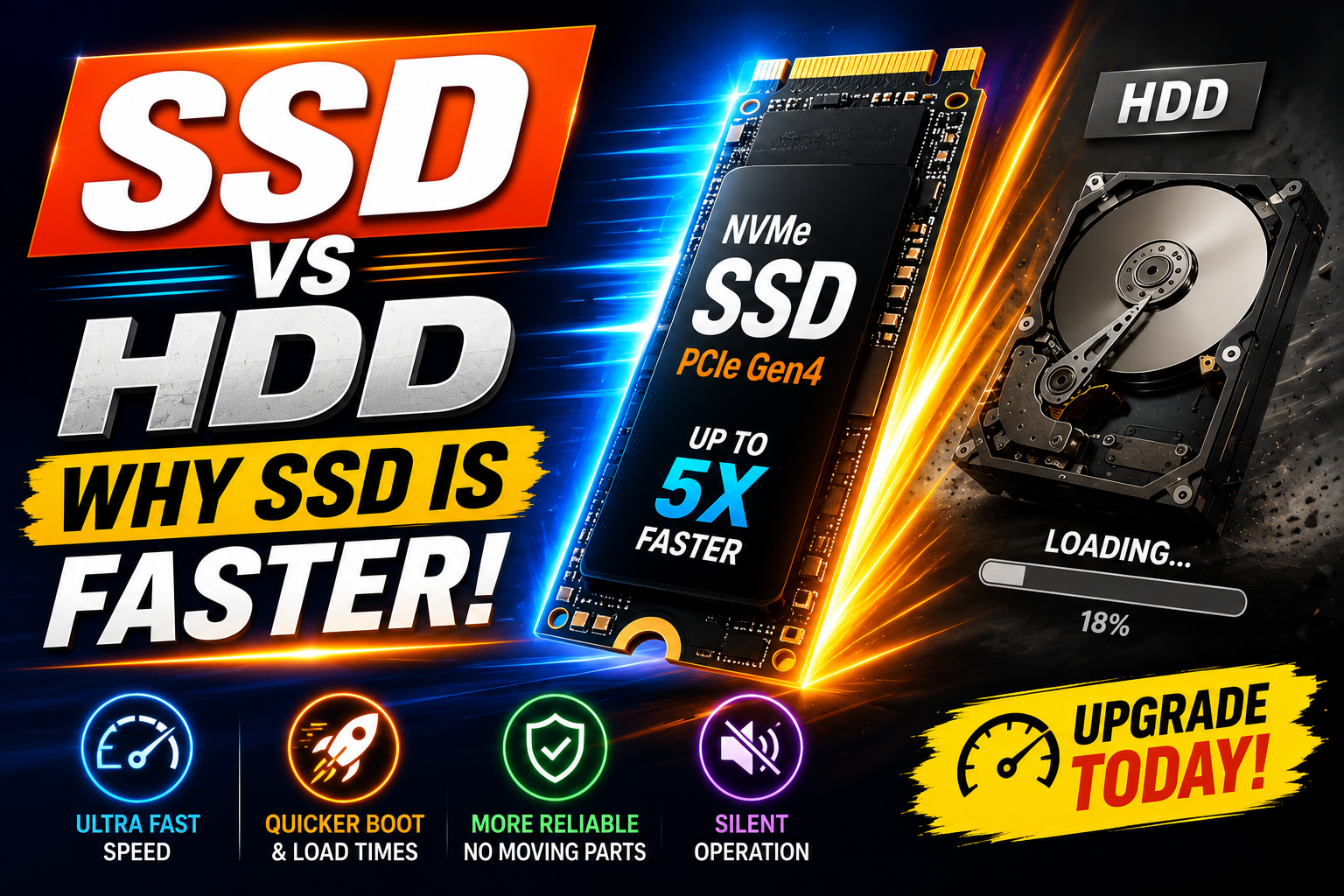
An SSD and an HDD both store files, but they work in very different ways. A solid state drive uses flash memory, while an HDD uses spinning magnetic disks. In computer storage, this difference changes speed, noise, heat, and shock safety. An HDD has moving parts, so it can make sound and break more easily after drops. A fast storage device with no moving parts handles bumps better. That is why laptops now often use this newer drive type. Still, HDDs can cost less for very large space. So, many people use both types together.
| Feature | SSD | HDD |
|---|---|---|
| Speed | Very fast for startup, apps, and file access. | Slower because it uses spinning disks. |
| Moving Parts | No moving parts inside the drive. | Has spinning plates and a moving head. |
| Noise | Silent during use. | Can make clicking or spinning sounds. |
| Best Use | Best for system drive, games, apps, and editing work. | Best for cheap bulk storage and backups. |
| Shock Safety | Better for laptops and travel use. | More risk from drops or hard bumps. |
Why SSD Is a Fast Storage Device for Daily Use
An SSD feels fast because it can find files almost at once. A solid state drive does not wait for a disk to spin into place. In computer storage, this quick access time matters as much as raw speed. For example, your system may read many small files while starting up. A hard drive struggles with that task because it moves its head again and again. A fast storage device can read those small files much quicker. As a result, the desktop appears sooner, browsers open faster, and updates take less time. You notice the change every day.
Main Types of SSD for Computer Storage
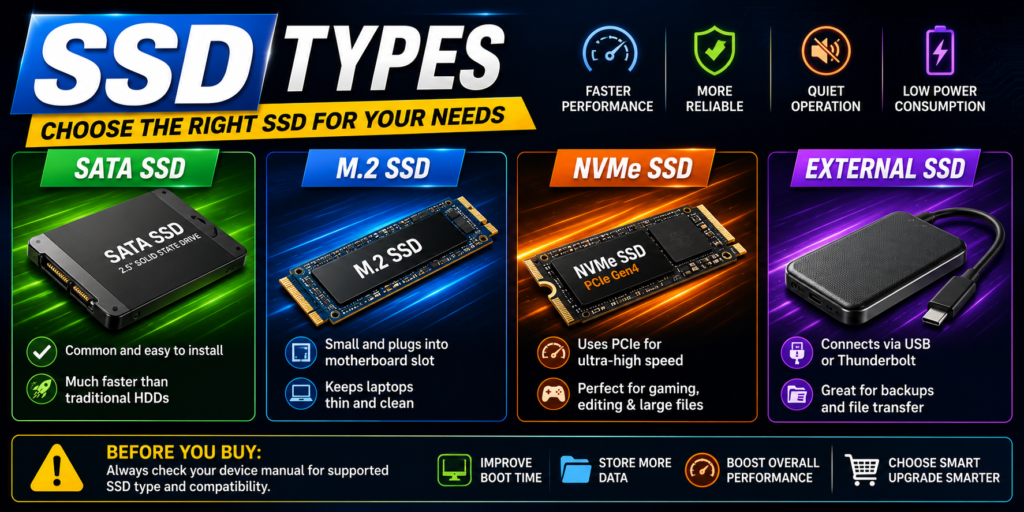
There are several SSD types, and each one fits a different need. A solid state drive may use SATA, NVMe, M.2, or PCIe connections. In computer storage, the connection type affects speed and support. SATA drives look like small boxes and work well in many older desktops and laptops. M.2 drives look like small sticks and fit on the motherboard. NVMe models use PCIe lanes, so they can work much faster than SATA. A fast storage device with NVMe is great for large files, games, and heavy work. Before buying, always check your device manual.
- SATA SSD: This type is common and easy to install. It is much faster than most old hard drives.
- M.2 SSD: This type is small and plugs into a slot on the motherboard. It helps keep laptops thin and clean.
- NVMe SSD: This type uses PCIe for higher speed. It suits gaming, editing, and large file work.
- External SSD: This type connects with USB or Thunderbolt. It works well for backups and moving files.
How to Choose a Solid State Drive as a Fast Storage Device
When I choose an SSD, I check capacity, speed, warranty, and device support first. A solid state drive with 500 GB works for basic use, but 1 TB feels better today. In computer storage, extra space helps because apps, photos, games, and updates keep growing. If your laptop supports only SATA, do not buy an NVMe model without checking. If your desktop has an M.2 NVMe slot, a fast storage device can give you better results. Also, look at real user reviews and brand support. A cheap unknown drive may cost more later if it fails early.
SSD Benefits for Computer Storage and Real Life Use
An SSD gives clear benefits in real life, not just on paper. A solid state drive can shorten boot time and reduce app load time. For computer storage, it also helps when you open many small files. Students can start class work faster, office users can open files quicker, and gamers can load maps sooner. A fast storage device also uses less power than many hard drives. This may help laptop battery life a little. Since it has no moving parts, it also stays quiet. I like this most in laptops, because noise can distract me.
Common SSD Terms You Should Know
Some SSD terms can confuse new buyers, so I will keep them simple. A solid state drive may list read speed and write speed. Read speed means how fast computer storage opens or loads data. Write speed means how fast it saves or copies data. TBW means total bytes written, and it gives a rough idea of drive life. DRAM cache can help some drives work faster during heavy tasks. A fast storage device may also support TRIM, which helps keep speed stable over time. You do not need to master every term, but these basics help.
Tips to Keep Your SSD Healthy
You can keep an SSD healthy with a few simple habits. A solid state drive needs some free space to work well, so avoid filling it fully. I try to keep at least 10 to 20 percent free when possible. In computer storage, backups still matter because any drive can fail. Use cloud storage, an external drive, or both for important files. Also, keep your system updated, because updates can improve drive support. Do not run old-style defrag tools on a fast storage device. Modern systems handle this drive type better with TRIM and normal care.
- Keep free space: Leave room for updates, cache, and drive tasks. This can help speed stay steady.
- Back up key files: Save copies of photos, work files, and documents. No storage drive is risk free.
- Update your system: System updates can improve hardware support. They can also fix storage bugs.
- Avoid too much heat: Good airflow helps the drive stay stable. Heat can reduce speed during heavy tasks.
Conclusion: SSD as Solid State Drive, Computer Storage, and Fast Storage Device
An SSD is one of the best upgrades for most computers. A solid state drive gives faster startup, quicker app loading, silent use, and better shock safety. In computer storage, it changes how the whole system feels. You do not need a costly model for basic work, but you should buy one that fits your device. A fast storage device with enough space can make school work, office tasks, gaming, and editing much easier. If your computer still uses an old hard drive, this upgrade can bring a clear speed boost. Choose wisely, back up files, and enjoy the change.
What does SSD mean?
SSD means solid state drive. It is a type of computer storage that saves data on flash memory chips instead of spinning disks. Since it has no moving parts, it can open files, start systems, and load apps much faster than an old hard drive. Many people call it a fast storage device because it improves daily speed in a clear way.
Is an SSD better than a hard drive?
Yes, an SSD is better for speed, silence, and shock safety. A hard drive can still be useful for cheap large storage, such as backups or big media files. However, a solid state drive works better as the main computer storage drive. It helps your system start faster and makes apps feel more responsive.
How long does an SSD last?
An SSD can last for many years with normal use. Its life depends on drive quality, write amount, heat, and care. Most home users do not write enough data to wear out a modern solid state drive quickly. Still, you should keep backups because every computer storage device can fail without warning.
Can I install an SSD in an old laptop?
Yes, many old laptops can use an SSD, especially if they support a 2.5-inch SATA drive. This upgrade often gives a clear speed boost. Before buying, check the laptop model, drive size, and connection type. A solid state drive can make an old laptop feel much better for browsing, writing, and basic tasks.
How much SSD storage do I need?
For basic use, 256 GB can work, but 500 GB is more comfortable. If you install many games, edit videos, or store many photos, 1 TB or more is better. Computer storage fills up faster than many people expect. So, choose a fast storage device with room for future files and updates.
Does SSD improve gaming?
An SSD improves game load times and can reduce waiting screens. It does not always raise frame rates, because the graphics card and processor affect that more. Still, a solid state drive helps games start faster and load maps quicker. For modern games, a fast storage device is a smart choice.
Bookmark this page now so you can return when you need to choose, install, or explain an SSD. Save the link and keep it as your simple computer storage guide.